
DESIGN OUTSIDE THE LINES
 Lift!
Lift!A powerful website builder that allows you to create beautiful and responsive websites, without code. Start with a theme, and build quickly.
Want to adjust the designs? No problem. 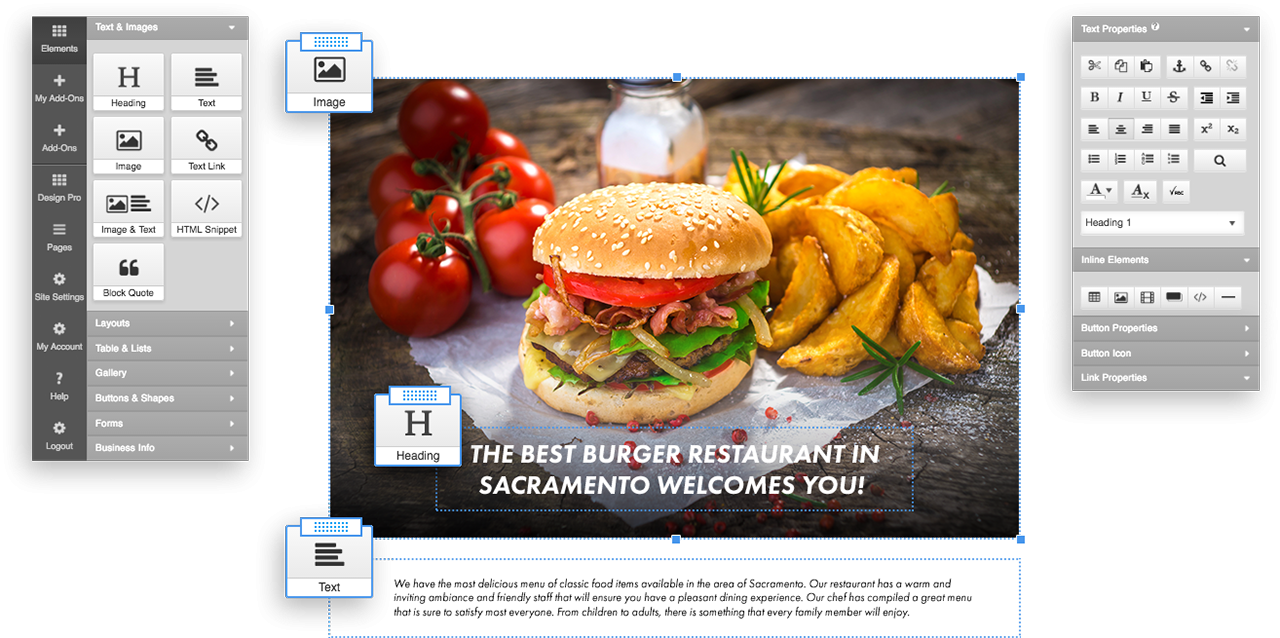
A powerful website builder that allows you to create beautiful and responsive websites, without code. Start with a theme, and build quickly.
Want to adjust the designs? No problem.
Section Groups
The built-in Section Groups is an original SiteGo innovation created to support sophisticated high-end designs. Use it to organize related content anywhere on a page with structures such as Accordion, Horizontal Tabs, Vertical Tabs, Collapsible Rows or simple Columns. Spice up the section title with icons, subtitles and mouse-over effects.
Table Editor
The built-in Table Editor is a powerful tool to present information in a structured format. Flexible cell merging technology takes the guesswork out of creating the exact look you want. Each table cells can hold text, images or media content. Add visual richness by embedding images as a cell or a table background. Create Zebra-style tables with automatic alternating row colors. Implement nested tables in your design for added flexibility.
Form Builder
Create online forms to process user registrations or collect visitor feedback with the built-in Form Builder. Instantly validate each field values against standard data types or use custom regular expressions to ensure accurate submission. Forward submitted information to an email account, or directly into a SiteGo database. Capture visitor information such as geo-location, referring page and previous referring site. Send confirmation emails to the visitors, or email notifications to a site administrator.
Media Library
The Media Library application creates video and audio libraries and allows visitors to browse, view, play or download any media asset. Enable visitors to contribute files both in public or protected areas. Search the file library by keyword, creation date and/or file size range. Customize library appearance by adjusting colors.
Page Manager
Layout Controller
Configure individual page layouts with the built-in Layout Controller. Select from pre-defined page templates to create specialty pages such as a lightbox or a splash page. Split the main content area into multiple columns. Adjust column spacing and customize individual column width. Enable optional layout components such as collapsible panels, headers, secondary navigation, as allowed by the individual site design.
Navigation Controller
The built-in Advanced Navigation Controller provides unprecedented control over site navigation panels. In addition to the main navigation panel, there can be up to three additional navigation panels on a page, depending on the chosen site design. A navigation panel can be per-page or be common across a set of pages. The main navigation panel may contain sub-navigation menus. Each sub-navigation supports drop-down and horizontal stripe mode with configurable mouse-over animations. Each menu item can display a custom image or it can support captions, sub-captions and embedded icons. An embedded icon can vary to indicate default state, mouse-over state, or selected state.
Stock Site Design Library
SiteGo offers a comprehensive stock site design library ready for use as-is, or as a starting point for custom designs. Each stock design contains an unique combination of font, element and application styling with a compatible color palette. The consistency of the design is enforced across the entire platform, so the resulting site and applications will always look good regardless of the end user competence.
SEO Tools
HTML Snippet
SiteGo.com
05848